

Tiles, skins and tables
Yila Mahjong has 42 tile faces, three face styles, four tile skins and three table backgrounds. A look changes how the game appears, never how it plays.
How many tile faces are there?
There are 42 faces: 34 standard faces plus 4 Flowers and 4 Seasons. Standard tiles must match exactly, while any flower matches any flower and any season matches any season.
| Group | Faces | Count | Matches |
|---|---|---|---|
| Dots | 1 to 9 | 9 | Exact |
| Bamboo | 1 to 9 | 9 | Exact |
| Characters | 1 to 9 | 9 | Exact |
| Winds | East, South, West, North | 4 | Exact |
| Dragons | Red, Green, White | 3 | Exact |
| Flowers | Plum, Orchid, Chrysanthemum, Bamboo Flower | 4 | Any flower |
| Seasons | Spring, Summer, Autumn, Winter | 4 | Any season |
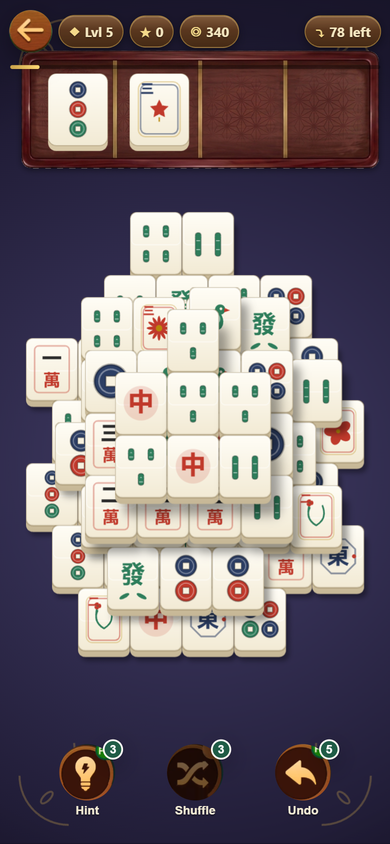
What are the three face sets?
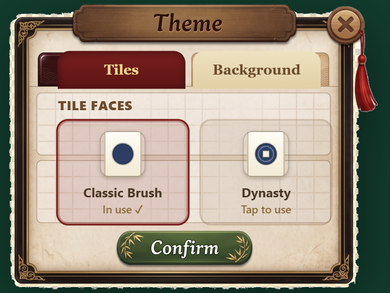
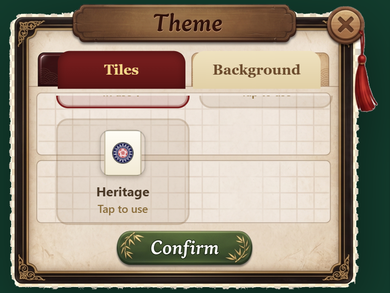
They are Classic Brush, Dynasty and Heritage, and all three are free to switch in the Theme screen.
Classic Brush
The game's own clean brush-style drawings.
Dynasty
The game's own richer set, drawn from ancient East Asian imagery: bronze coins with square holes for dots, leafed bamboo with a sparrow on the 1 of Bamboo, seal-framed characters, compass-medallion winds, and rising-sun, bamboo-leaf and cloud-scroll dragons.
Heritage
An open-licence set by FluffyStuff, released into the public domain (CC0 1.0). It covers the 34 standard faces. Its White Dragon is blank by design, so the game draws its own framed White Dragon in its place. Flowers and Seasons also use the Classic Brush style in this set.
Who made the Heritage artwork?
Heritage is by FluffyStuff, released under Creative Commons Zero v1.0 Universal (CC0 1.0), a public domain dedication. Credit is not legally required, and the game gives it as a courtesy.
Mahjong tile face artwork by FluffyStuff (github.com/FluffyStuff/riichi-mahjong-tiles), CC0 1.0 Universal (public domain).
All game art is the project's own or properly licensed. Traditional mahjong tile symbols are public-domain cultural heritage, and the game never copies another game's menus, win screens, wordmark or icon.
What are tile skins?
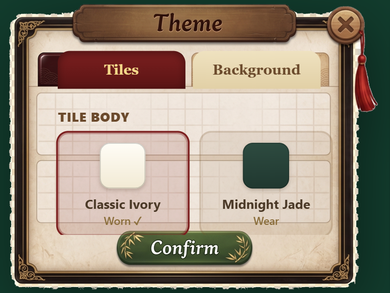
A skin changes the body of the tile, never how the game plays. There are four, and the default is free.
| Skin | Price |
|---|---|
| Classic Ivory | Free (default) |
| Midnight Jade | 300 coins |
| Sakura | 300 coins |
| Deep Ocean | 300 coins |
Skins are cosmetic only. You pay for them with coins you earned by playing.
What table backgrounds are there?
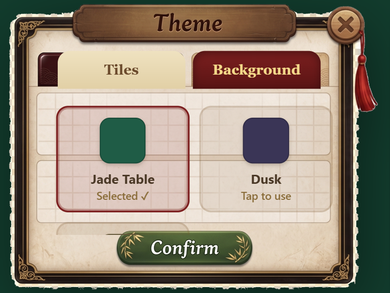
There are three: Jade Table, which is the default, plus Dusk and Sand. All three are free to switch.
Each one is a felt table with a soft centre glow, an embossed mandala and gold corner flourishes.
Is there a colour-blind option?
Yes. The Colour-blind patterns switch in Settings adds a small corner pattern per suit, so suits never rely on colour alone.
Extra-large tiles are on by default, and Calm mode softens the effects. Each of these is a real switch, and the Settings screen says so: "Every one of these is a real toggle, nothing is forced on you." The FAQ lists them all.
Want to try a different look?
Open Settings, then Theme, and switch faces and tables whenever you like.